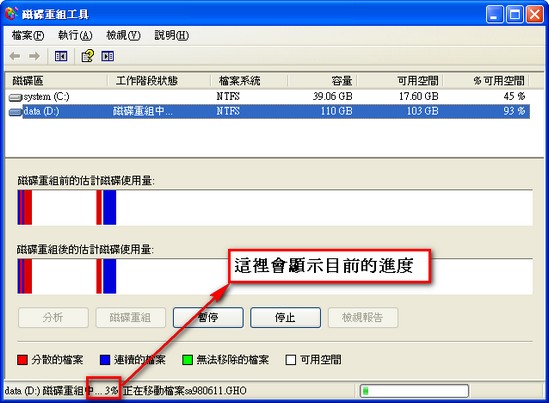
I think anyone who has used a computer for a long time has noticed that it gets slower the more it’s used.
Here’s a method I recommend that can make your computer a bit faster.
It can also extend the life of your hard drive.
First, click “Start” - “All Programs” - “Accessories” - “System Tools” - “Disk Defragmenter.”
Or click “Start” - “Run,” type dfrg.msc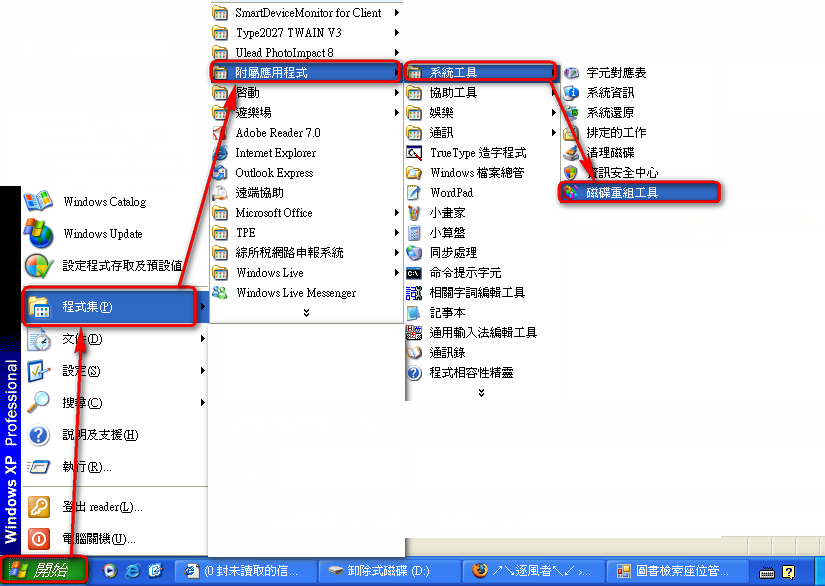
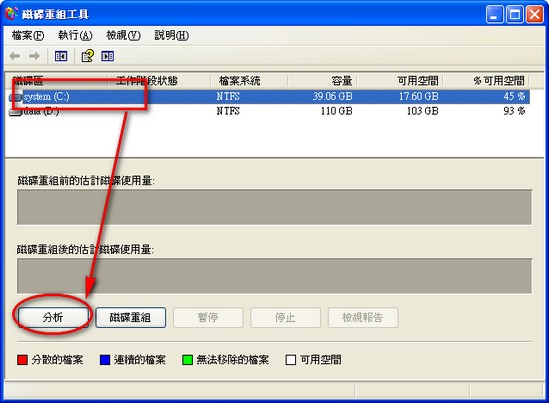
Then a program will open that helps you defragment your hard drive.
First, select the hard drive you want to defragment, then click “Analyze” so the program can determine whether it needs defragmenting.
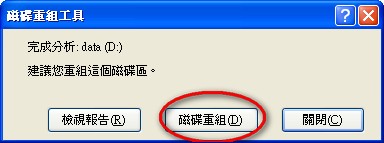
Wait a moment. A window will pop up telling you whether defragmenting is needed. In my case it was, so I clicked “Defragment.”
Defragmenting has started. This can take a very long time, depending on how much data is on your drive. If you have a lot of data, I suggest you go make a cup of tea and then take a nap. XD