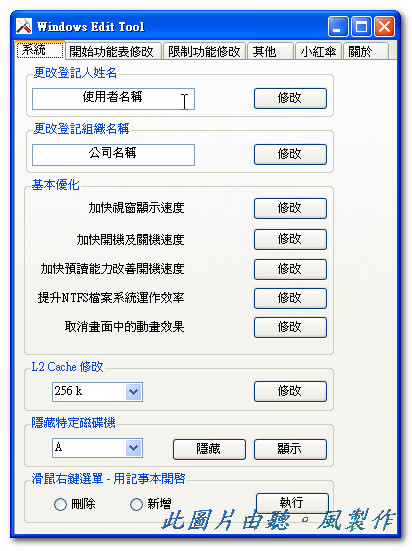
Windows Edit Tool has many built-in tweaks that let you configure your computer’s registry settings. The features I personally like best in Windows Edit Tool are automatic logon for XP accounts and its basic optimization functions. I’ve tested these myself and they work fine, since they only make simple changes to the registry. Windows Edit Tool also has a drive-hiding feature. Put simply, if you’ve downloaded some things you’d rather keep private~ you can store them on a hidden drive so the wrong people won’t see them.
Windows Edit Tool Info:
Official site: http://linyuhsien.blogspot.com/Download links: Box.net | Xun6 | 4Share | Official download
Virus scan report: Virustotal
Main Features of Windows Edit Tool:
- Disable USB / disable IE downloads / disable the registry editor (Regedit)
- Set USB drives to read-only
- Automatic Windows logon
- Turn off Security Center alerts
- Computer optimization and L2 cache modification (L2 Cache)