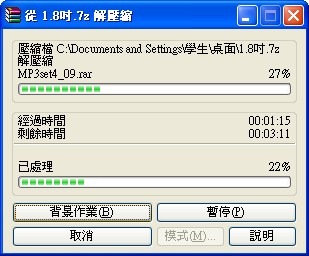
WinRAR is currently the compression software with the largest market share. Like 7-Zip, WinRAR supports many features. Besides basic compressing and extracting, it can split files into parts, recover data, encrypt data, and more. WinRAR can also create self-extracting archives, which can be opened without installing an extraction program, so they’re very convenient. The only catch is that WinRAR is commercial software. You can only use the trial for 40 days, and after that you have to pay.
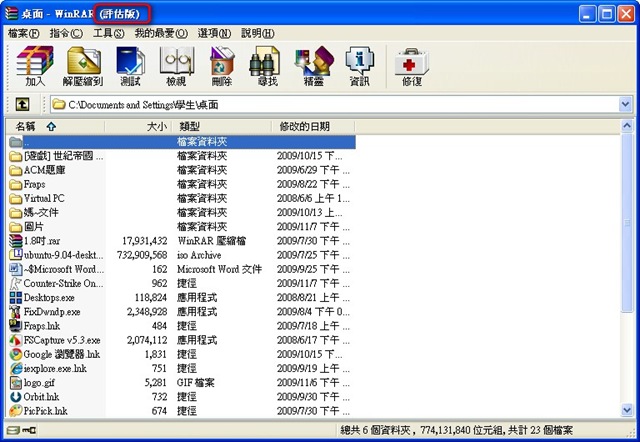
The trial version of WinRAR shows “Evaluation” in the title bar ↓↓↓↓
WinRAR Info:
- File name: WinRAR
- Supported OS: Windows.Linux.Mac..........
- Official site: http://www.rar.com.tw/
- Download page: http://www.rar.com.tw/order_01.html
1. WinRAR Installation Tutorial
1. First, go to the official website and download the version you need.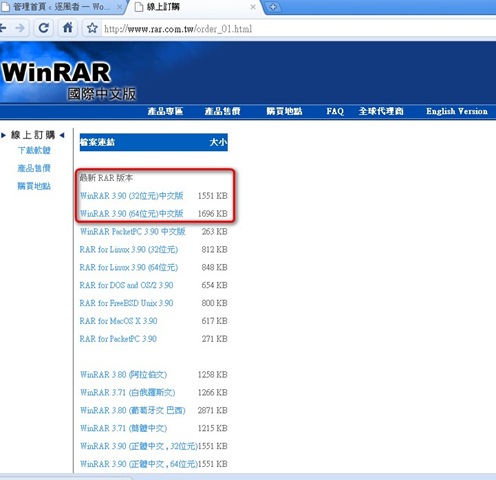
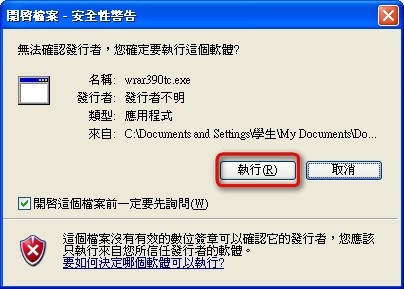
- After downloading, double-click the installer. If a file security warning appears, click [Run].
- Set the installation location under [Destination Folder] (the default is fine), then click [Install].
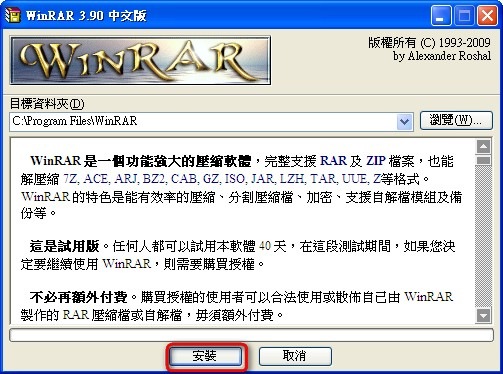
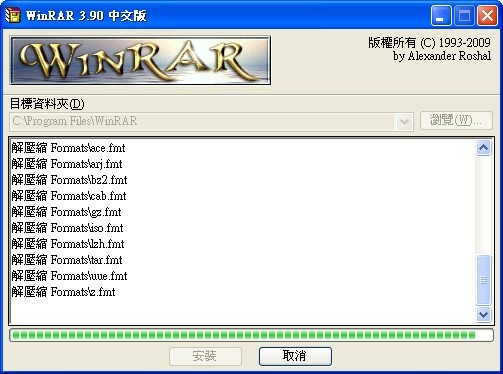
- Installing…………………..
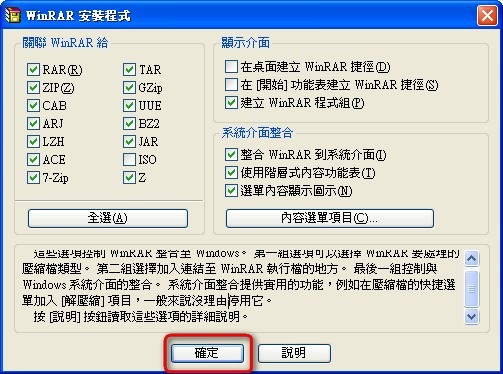
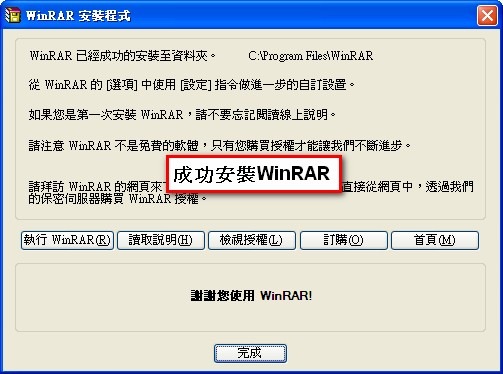
- When installation finishes, click [OK].
2. WinRAR File Compression Tutorial
1. Right-click the file you want to compress, then select [WinRAR] → [Add to archive].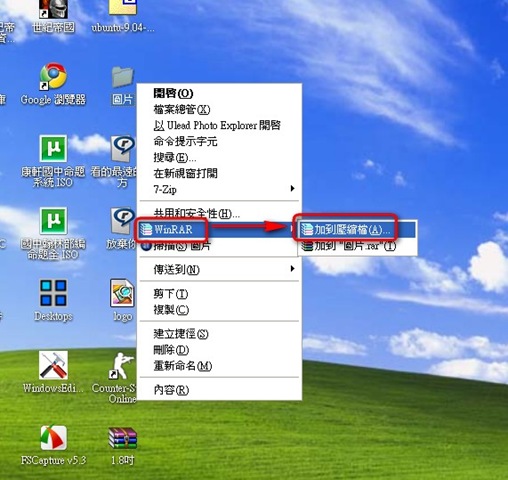
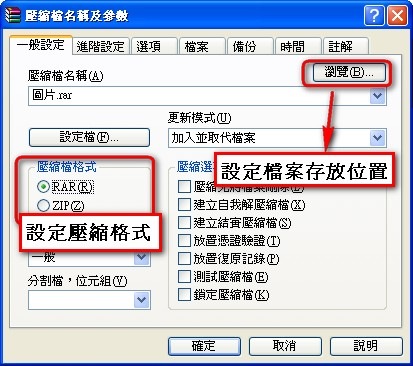
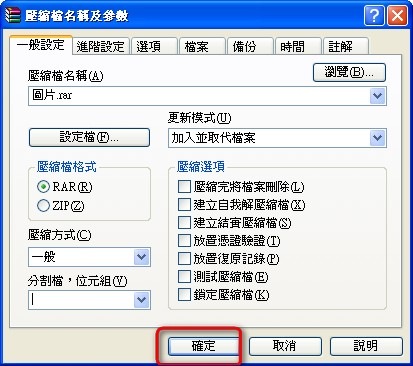
- Under the archive name, set where the archive will be saved (click Browse), then choose the archive format (RAR or ZIP).
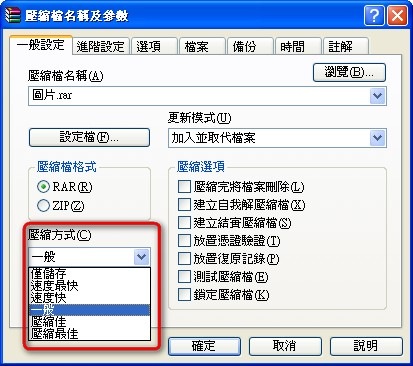
- Choose a compression method. Pick whichever you prefer: faster compression or a better compression ratio.
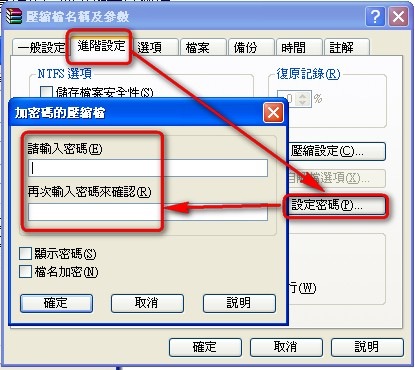
- To set a password, click [Advanced] → [Set password], enter the password you want, then click [OK].
- Click OK, and compression will start.
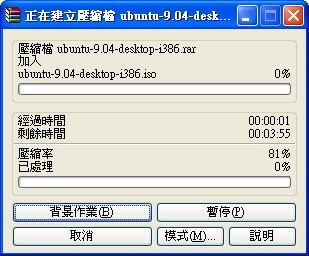
- Compressing files.
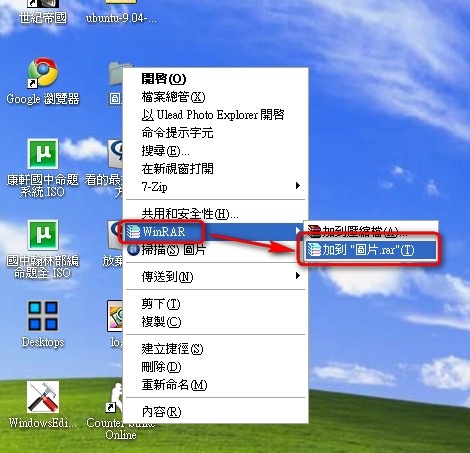
Alternatively, if you don’t want to go through all that setup, you can simply click [WinRAR] → [Add to XXX.rar].
3. WinRAR Extraction Tutorial
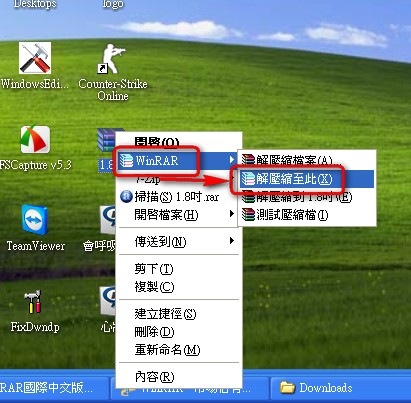
1. Right-click the file you want to extract, then click [WinRAR] → [Extract files here].P.S. The [Extract files here] option only appears when you right-click a file that has already been compressed.
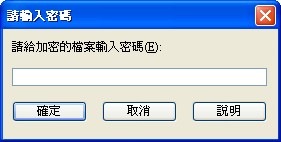
- WinRAR will start extracting the files. If the archive is password-protected, a window will pop up asking for the password. Just enter it~ Otherwise, brute-forcing it would take a very long time^^
- Extracting files. The size of the files determines how long extraction takes.