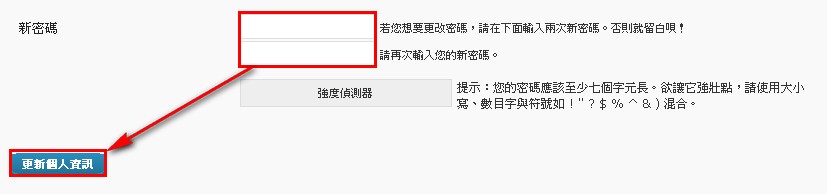
Last time we finished setting up WP, and the system gave you a set of account credentials. The only problem is that the password is really hard to remember, and the username is adm, which is easy to guess — that’s a real security risk for your blog. So now let’s show you how to change your username & password.
Changing the username
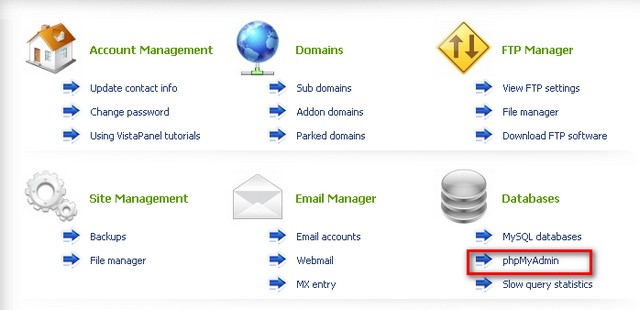
Log in to your web host’s control panel and click phpMyAdmin.
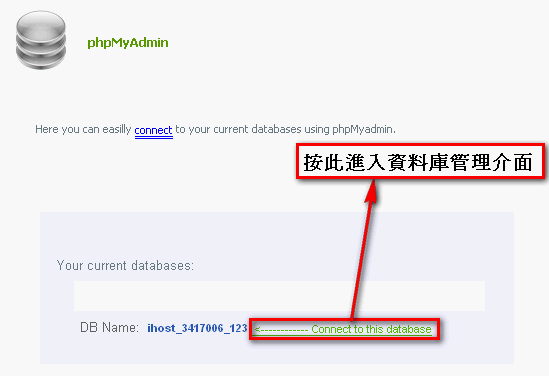
- Behind your database there will be a line of text saying “<———— Connect to this database”, click it to enter the database management interface
3. Once you’re in the database management interface, scroll down the page and find a table called “wp_users"
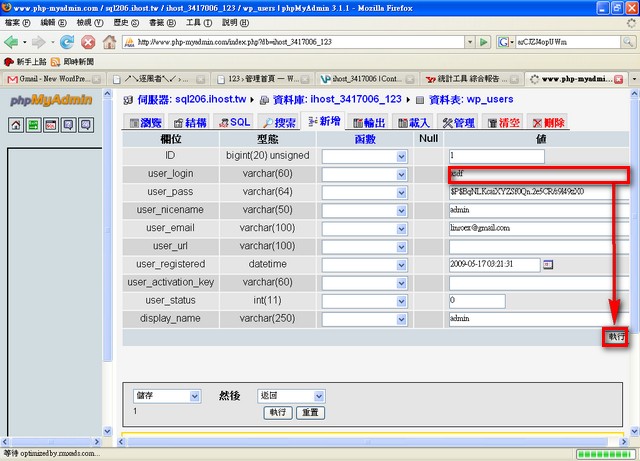
4. After you enter the wp_users table you’ll see a record called admin (as shown below). Click the pencil icon next to admin to edit it.

- Change the value of the user_logi field to the username you want, then click “Go”.
- Changing the password
Next up, changing your password isn’t as much trouble as what we just did — you don’t have to go into the database at all. You can just change it from the admin panel, so please log in to the admin panel first.
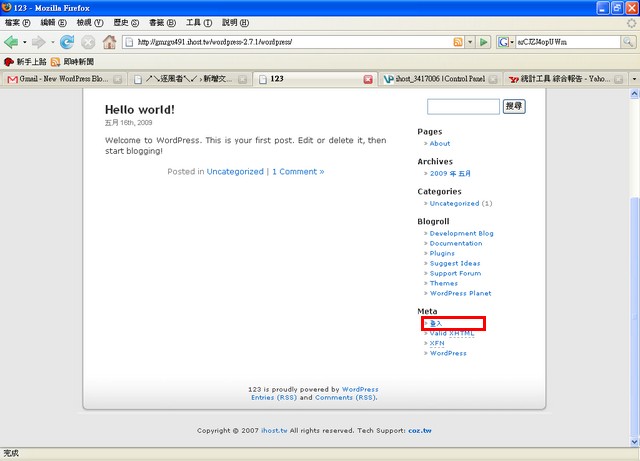
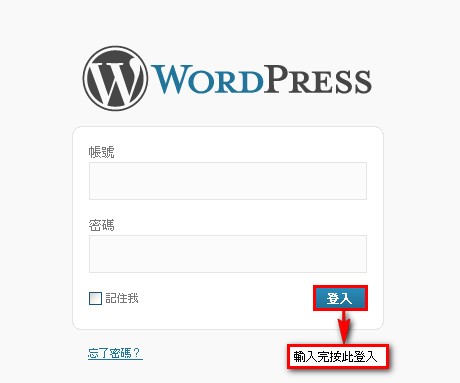
Once you’re in the admin panel, click Users – Your Profile.
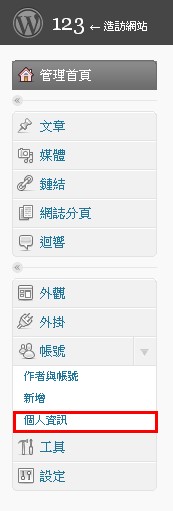
Then scroll down to the bottom. There’s a New Password field — enter the password you want, then click Update Profile.